Blacklisting Numbers Globally
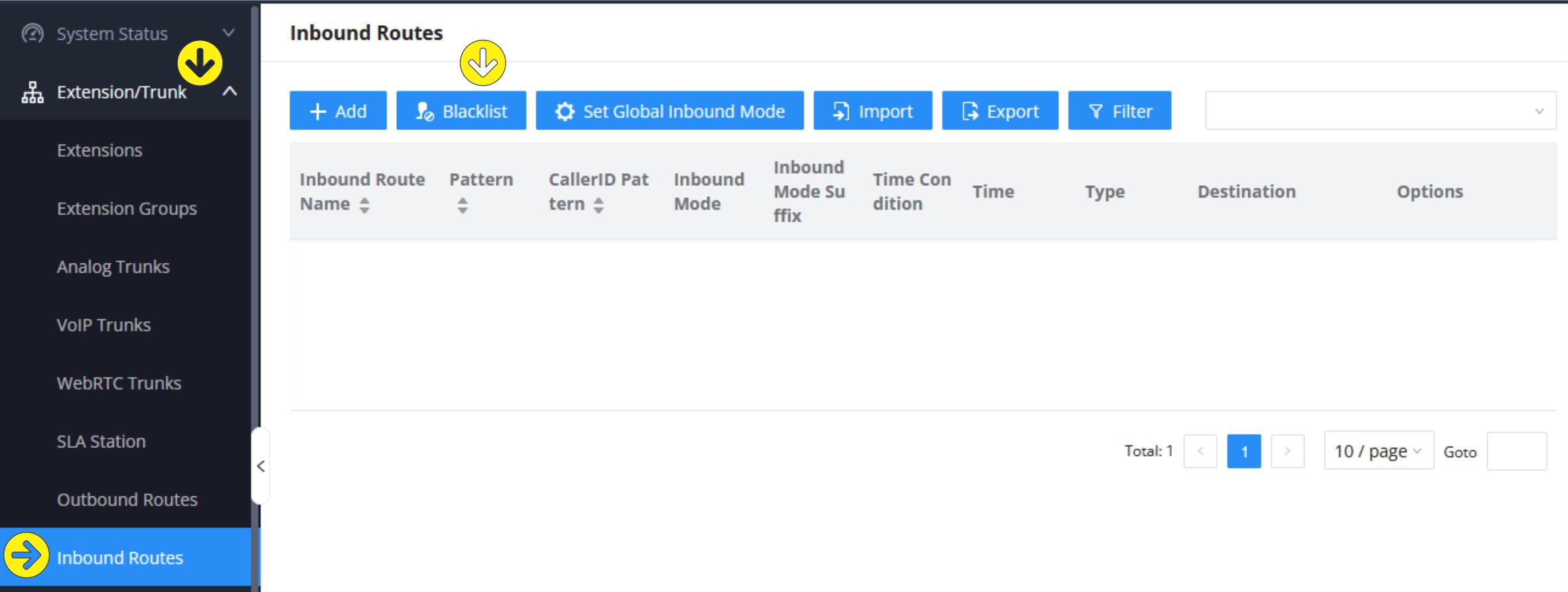
The system admin can globally block all calls from a listing of numbers, in the main system under "Inbound Routes" / BLACKLIST
block & Blacklist numbers
Once on the Extensions/Trunks / Inbound Routes page in the main system, select the
BLACKLIST button at the top of the sub-page:
Enable & Add numbers
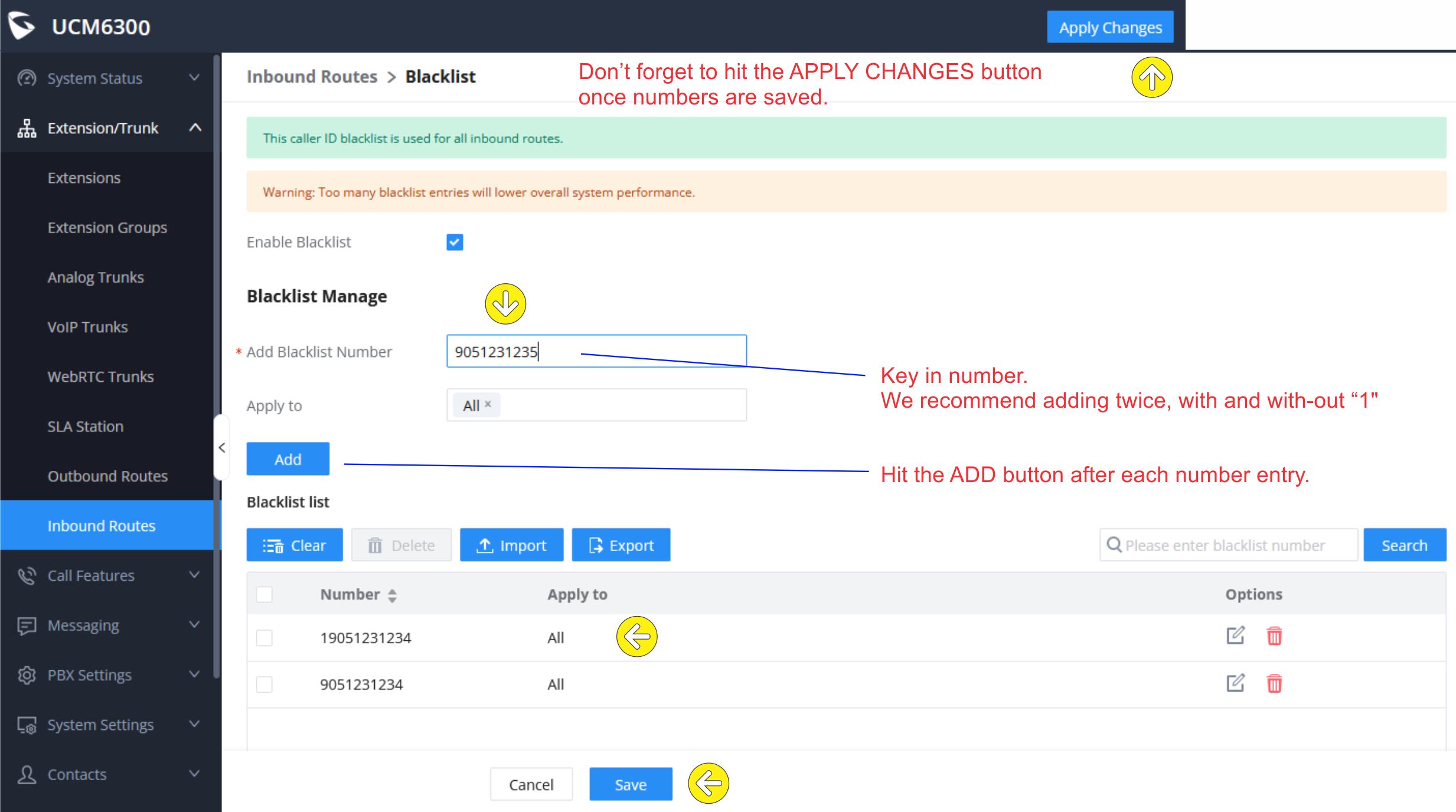
Enable Blacklist using the "Enable Blacklist" check box.
Enter in the phone number in the "Add Blacklist Number" field. Click the ADD button to add each one separately. We recommend entering in both the 10 digit number (area code + prefix + number) & add the same number with "1" leading digit (see image example below).
Some carriers can transmit the Caller ID number either way and the two entries covers both methods of Caller ID received.
All calls from those numbers will be permanently blocked / dropped by the phone system unless you remove them from the Blacklist.
Do not forget to hit SAVE - once back on the main sub-menu screen, hit the APPLY CHANGES button at the top.
 PBXSystem.ca - Blacking / Blacklisting unwanted calls, August 2025